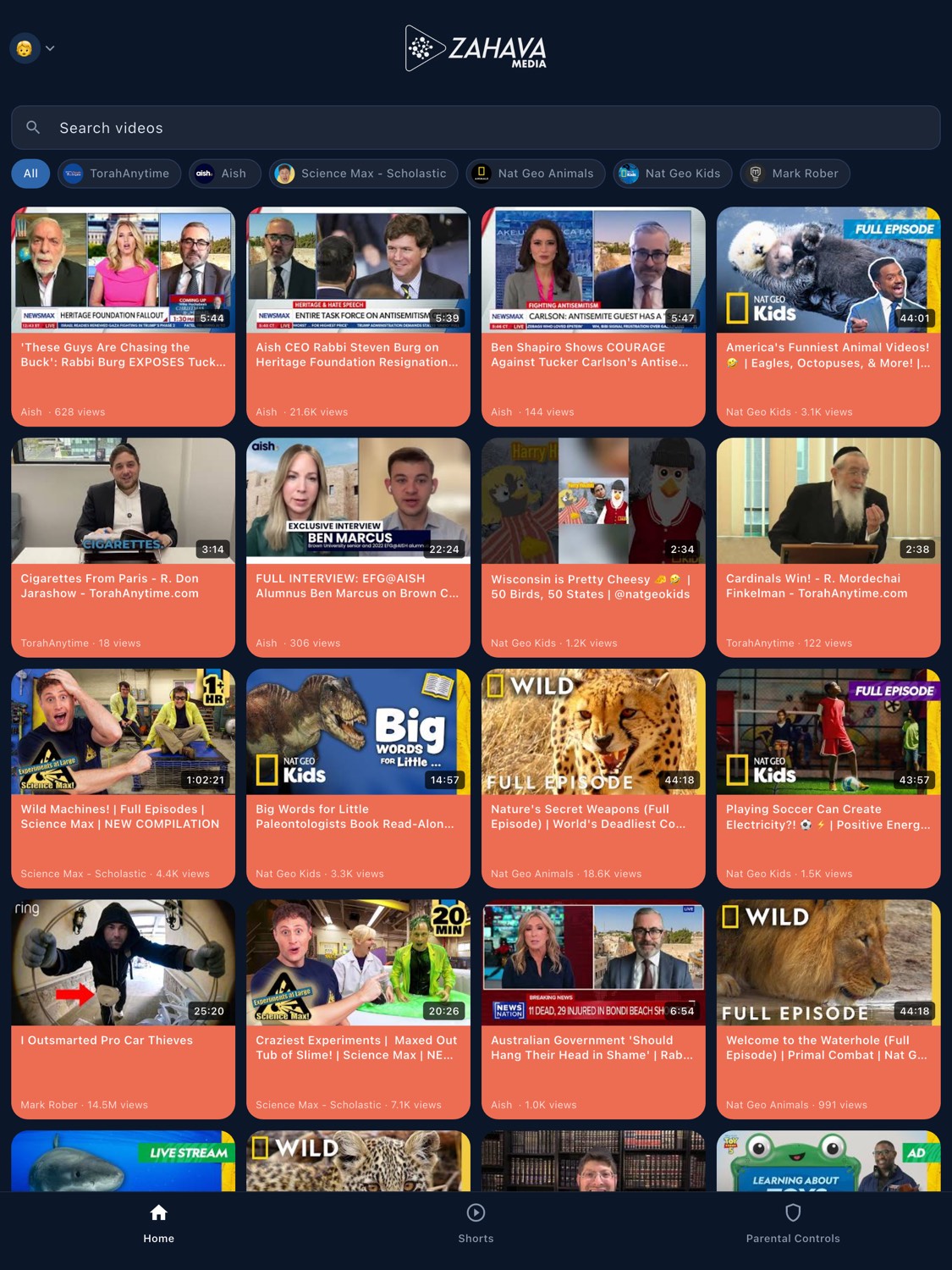
YouTube has more than 100 million channels. Your child only needs a handful. Zahava Media lets you pick exactly which ones — with time limits, schedules, and Shorts off unless you say otherwise.
See how it works ↓
Features
Built for how families actually watch.
Every feature was designed with one question in mind: does this help parents feel confident?
Channel Whitelist
Zahava Media works on an approve-only basis. You pick the channels each child can see, and only videos from those channels can ever be played — there's no recommendation engine, no related videos, and no way for kids to wander into content you haven't approved.
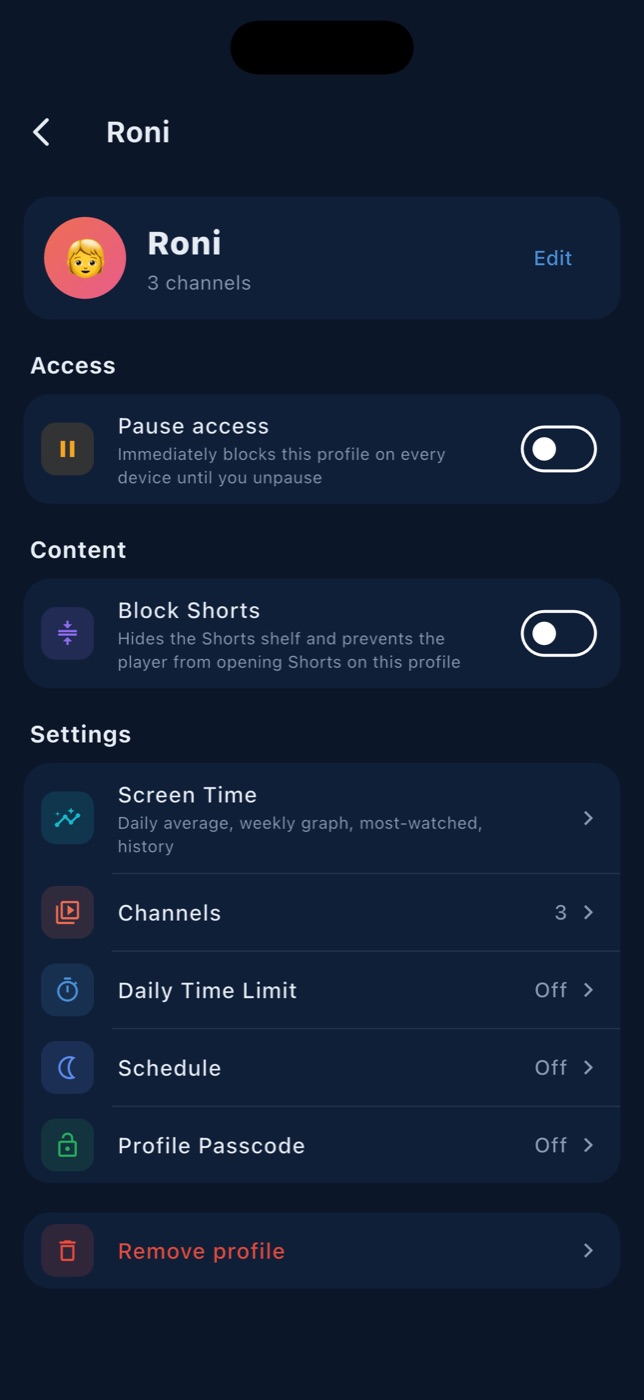
Block Shorts
Short-form videos are designed to be addictive — algorithmically tuned to keep kids scrolling through 60-second clip after 60-second clip. Zahava Media lets you switch the entire Shorts surface off, so children watch full, intentional content instead of an endless feed.
Family Controls
Create up to ten child profiles, each with its own approved channel list, daily time limit, and bedtime lock. Protect each profile with a PIN. Pause all access instantly from your parent dashboard — whether you're in the next room or across the world.
iPhone, iPad & Android
Zahava Media is available on iPhone, iPad, and Android. One parent account manages every device your kids use, and any change you make — a new channel, a tighter time limit, an instant pause — syncs across them in real time.
How it works
Up and running in minutes.
Three steps and your whole family is watching safely.
01
Download.
Get the Zahava Media app on iOS or Android. Create your account in under a minute using your email or Apple ID.
Download now →
02
Set up your family.
Add a profile for each child. Choose their channels, set a daily time limit, and optionally add a bedtime schedule. Takes about two minutes per child.
03
Watch safely.
Hand your child the device. They see only what you've approved — no surprises, no rabbit holes. You get a clean activity log so you always know what they've watched.
Every plan starts with a 7-day free trial. Billed in USD through the App Store or Google Play — local prices are shown in the store. Yearly Plus and Max get two months free. Cancel anytime.